
I got a Lenovo S10 some months ago, and like all netbooks it has a 1024x~600 resolution which is fine for most web browgins but it happens to be too short for some applications, one of them being Google Reader.
After installing the right WM, installing the right firefox extensions and settings the right font size. I added these lines to my userContent.css
body.gecko div#search, body.gecko a#logo-container { display: none !important;}


body.gecko div#main { margin-top: -30px !important;}
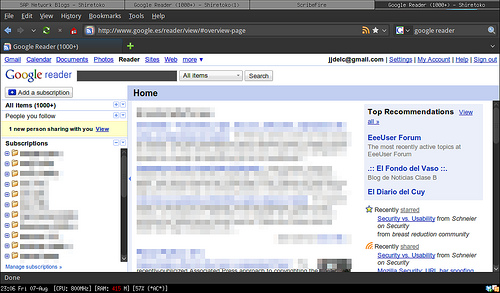
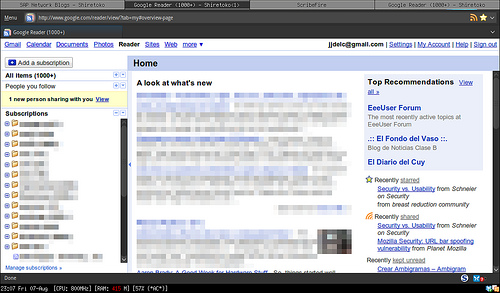
This hides Google reader's search bar which I never use and gives me valuable extra room :)
Before
After
Comments
#304924" title="2009-10-22 12:13:36">Deep: I also use this plugin: https://addons.mozilla.org/en-US/firefox/addon/1951 so I don't have to keep thee status bar around.